Post

New update coming soon!

In Uncategorized on December 1, 2011 by nuculargames

We are proud to announce a new update, that should be out before the holidays.


The main feature for this update will be iCloud integration, so you can put your documents the cloud to have them available on all your iOS devices.

Post

Update on the way to your AppStore!

In Air Doc on October 22, 2011 by nuculargames Tagged: ,

We are proud to announce, that our newest update to AirDoc is currently in review by Apple. Some really great features are coming your way:

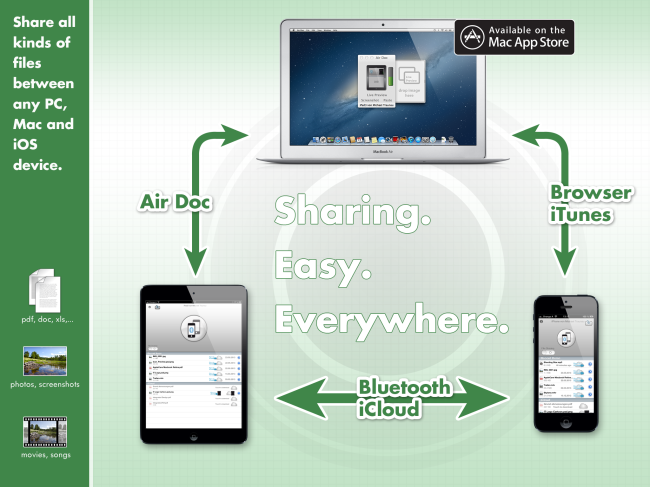
- Web Access: access your iOS device via your browser, upload and download files from your recent list. This works from any browser, so AirDoc is now OS independent! You can even stream movies into your browser (testet with Safari on OSX) directly from your iPad or iPhone.

- options to save screenshots or pasted clipboards in your recent list for later viewing

- iOS5 optimizations and full compatibility

We hope you’ll find those features useful and appreciate any comment or suggestions!

Regards,
Mike

Post

Got network problems?

In Air Doc on September 19, 2011 by nuculargames

Just uploading an update for Air Doc iOS: in the preferences you can now set a port for network communication. Override the default network port only if you have problems connection your Mac to your iOS device…

Post

Air Doc released in Mac App Store & iOS AppStore

In Air Doc on September 19, 2011 by nuculargames

Just released:

Air Doc

Here is theĀ Air Doc Manual

Air Doc is the ultimate solution for transferring documents, movies, songs, etc to your iPad/iPhone. Simply drag & drop your files into the Air Doc App (get it for free in the Mac App Store) and they will open up immediately on your iPad or iPhone.

No cloud or internet access needed – no data leaves your local network.

Transferred documents can be opened with any supported App on your iOS device (eg in Pages or Numbers)

Use it to replace your Mac’s secondary display with your iPad – enhanced by the touch capabilities of your iOS device, but without the need to install any drivers.

Simply drag movies and songs to your iOS device to view them offline – even stream to your AppleTV using AirPlay.

The Air Doc App for your Mac is available for free in the Mac App Store.

NETWORK

All your devices must have access to the same LAN (or WLAN) – no additional network configuration is needed.

FEATURES

- transfer files to your iOS device, simply by drag&drop
- send and display a screenshot to your iOS device with one click or by hotkey (Cmd-Alt-S)
- send and display the current clipboard with one click or by hotkey (Cmd-Alt-V)
- drop an URL into AirDoc and a browser will open it on your iOS device
- supported document formats: pdf, doc, xls, pages, numbers, txt, rtf – anything QuickLook can show
- supported multimedia formats: m4v, m4a, mp3 – anything iOS can play
- Air Doc for iOS is an universal app, runs on iPhone and iPad
- stores your last uploads for access when offline
- auto rotates in landscape or portrait mode on all devices
- zero configuration network support (Bonjour)

USE CASES

- use it as a turbocharged secondary display for your Mac
- transfer your documents from any Mac fast and easy just by drag&drop – like a wireless USB stick
- simply drop a web url and it will immediately open in a browser on your iOS device
- use it to distribute handouts without the need for email, iTunes or any cloud space – fast and easy
- drop movies to watch them on your iOS device and take them with you, even stream your movies using AirPlay
- drop movies or songs to your friends iOS device without any pairing or cables
- store recently transferred files on your iOS device for later viewing (without the need for any network access)

Follow

Get every new post delivered to your Inbox.